Case study · Developer-facing form infrastructure
Submify: Developer-facing form infrastructure
A self-hosted form backend: one API key, every form on every site, stored in your own PostgreSQL.
- My role
- Lead developer.
- Licence
- AGPL-3.0
Context
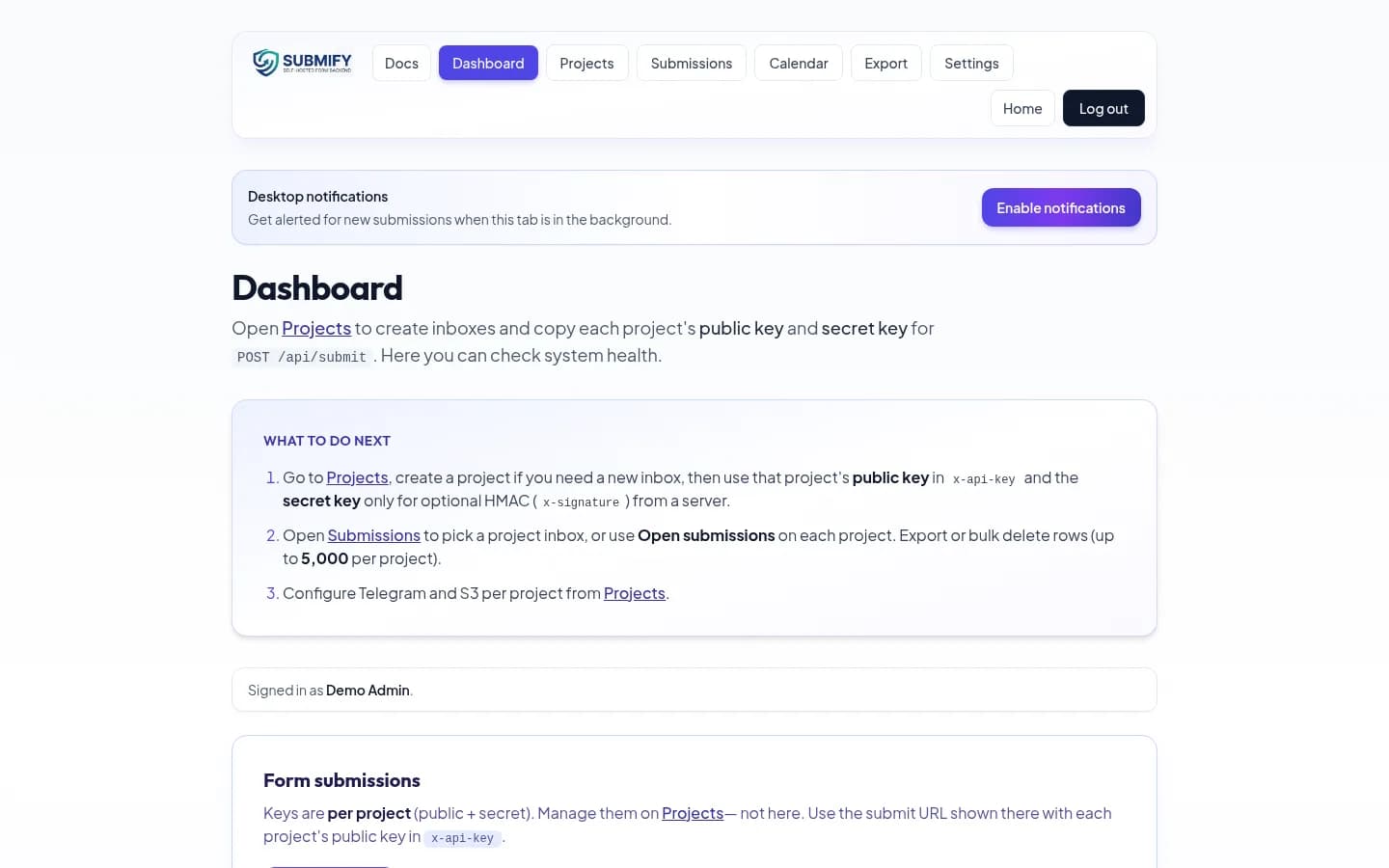
Submify is a form backend you run yourself. A website posts JSON to one endpoint with an API key, the submission is stored in PostgreSQL, and the owner reads it from a dashboard, exports it as XLSX or PDF, and can get a Telegram message when something arrives.
The product is aimed at developers who manage forms across multiple sites and need a clear route from a browser submission to storage, review and export.
Problem
Teams that depend on hosted form services end up with data silos, weak observability and little control over submissions across several products.
Users
Developers wiring forms into sites, and their clients, who can be given a password-protected per-project page to view and export only their own submissions.
Operational workflow
Register, create a project, embed the project key in a form, receive submissions, and optionally attach files that the browser uploads directly to the owner's own S3-compatible storage through a short-lived presigned URL. Submify stores only the object key.
Engineering challenge
An embeddable submission API has to accept data from websites while resisting abuse. Authentication, rate limits and optional signatures belong in the request path, while project owners still need a usable dashboard and a way to rotate keys.
Architecture
Nginx is the single published port. It sends API paths to a Go and Gin service and everything else to a Next.js dashboard. All tenants share one PostgreSQL database, with rows scoped by user and project, and object storage is optional and external.
Data model decisions
Projects separate one site's forms from another's. Submissions belong to a project and account, which lets the dashboard and client access page limit what each viewer can read and export. For attachments, the database keeps the object key rather than a second copy of the file.
Backend
The Go API receives and validates submissions, checks API keys and optional HMAC signatures, applies rate limits and writes to PostgreSQL. A presigned upload flow lets the browser send files to S3-compatible storage without routing the file body through the application server.
Frontend
The Next.js dashboard gives an account owner a view of projects, submissions, keys and exports. A separate password-protected client page can expose only one project's submissions to the people responsible for that site.
Security
Submissions authenticate with an API key header and optional HMAC request signing. The dashboard uses JWT access and refresh tokens. Submission endpoints are rate limited. Keys can be rotated per account and per project. Before each release I run govulncheck against the Go API and npm audit against the dashboard.
Infrastructure
One Docker Compose stack, with a quick-start script for Linux and macOS and a PowerShell script for Windows that sets up WSL2 with a real Docker Engine instead of requiring Docker Desktop.
Reliability considerations
PostgreSQL is the record of submissions. Optional Telegram alerts are a notification channel, not the storage path; a messaging outage should not be confused with a missing submission. Export provides a way to move records out of the dashboard.
Difficult tradeoffs
Email notification is not built in. I chose to keep the core small and let the owner send mail from their own application after posting to Submify.
What I personally worked on
Lead developer across the API, the dashboard, the packaging and the documentation.
Lessons learned
A small developer tool becomes a real product when key rotation, rate limiting, tenant boundaries, exports and installation are designed with the same care as the endpoint itself.
Technologies
- Go
- Gin
- Next.js
- PostgreSQL
- Nginx
- Docker
Screenshots
Captured from running instances.
Submify: frequently asked questions
- What is Submify?
- Submify is a form backend you run yourself. A website posts JSON to one endpoint with an API key, the submission is stored in PostgreSQL, and the owner reads, exports and receives alerts for it.
- How are submissions protected from abuse?
- Requests authenticate with an API key header and optional HMAC signing, and submission endpoints are rate limited. Keys can be rotated per account and project.
- Does it support file uploads?
- Yes. The browser uploads directly to the owner's S3-compatible storage through a short-lived presigned URL, and Submify stores only the object key.
- Does it send email?
- No. Email is deliberately left out of the core; Telegram alerts are built in and email can be sent from the owner's own application.
- How do I install it?
- One Docker Compose stack, with a quick-start script for Linux and macOS and a PowerShell script for Windows that sets up WSL2.